


Spideera
presents
A yaoi Visual Novel Game
High Stakes


Help with Playing the Game
Navigation:
The upper left corner of each page will display up and down arrows that show up when moused over. This will allow you to go back and forth in the game.
The large letters are links that will take you to different parts of the game.
Each time you reach the 'e
nd' of a route, you can click 'end' and it will take you to an index.
Saving:
Although you can't really 'save' the game, some browsers will indicate the last completed round with a color change in the index.
The index will list the players. (although it won't go to the 'round' you were on, it will let you pick up with the last opponent you played so you won't have to go to the beginning.
Tips
Track your choices so you won't have to read the same sections over and over again. The 'wins' are random, but whatever win is the 'sin' will always remain the same in the game.
For Questions and concerns, use the form below
Contact Form is below
Please indicate the subject or topic at the top of your message.

Basic Codes
Twine
Note, codes are case sensitive
The items should appear in the order you want them to show up:
ex: sentence then img then sound then word to click for next scene
<center> </center>
Pictures
<img src = "https picture here">
<center><img src = "https" width = "100" height = "100"></center>
Set Up - organizing
tags = color coding and background changes
quick find - will highlight boxes with items searched
style sheet - sets functions for the entire story
story statistics - overview of word count etc
Proof - to pull entire text and check spelling etc.
(can't edit there though, just copy and paste)
publish to file creates the html file that can move to other places etc. (share)
*sound bible - source for free sound effects - insert the same as pic only it's mp3 file
note: add auto play after the mp3> - check for proper code in help files (should add the audio at the end after all the other text and files etc.)
Add video:
open share find embed video, copy code past into the card (can usually pick start and stop segment
<center><img src = "https" width = "100" height = "100"></center>
Background
*using the stylesheet:
tw-story {background-image:url("https")
chg size:
tw-story {background-image:url("https");background-size:cover;}
this stretches it to make it cover the whole page
on an individual page:
create a tag for all pages with different background
On the style sheet:
tw-story [tags-="what"]{background-image:url("https");background-size:cover;}
If there's an extra space between story and the [tags made the box small rather than filling the whole page
<center> </center>
Sizes
<center> </center>
Click, If, Then
(click:"word")[words to show up;]
(if:(history:)contains"word")[new sentence shows up]
so if the player chose that then a passage shows up.
[[go to-creates a new box]]
<center> </center>
Game Pics


Wajin


Yumi


Makoto

.png)
.png)

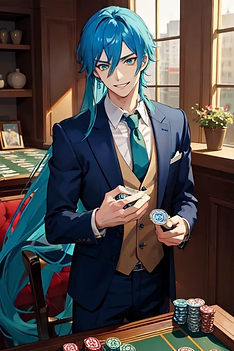


Azuma Deep


.png)